
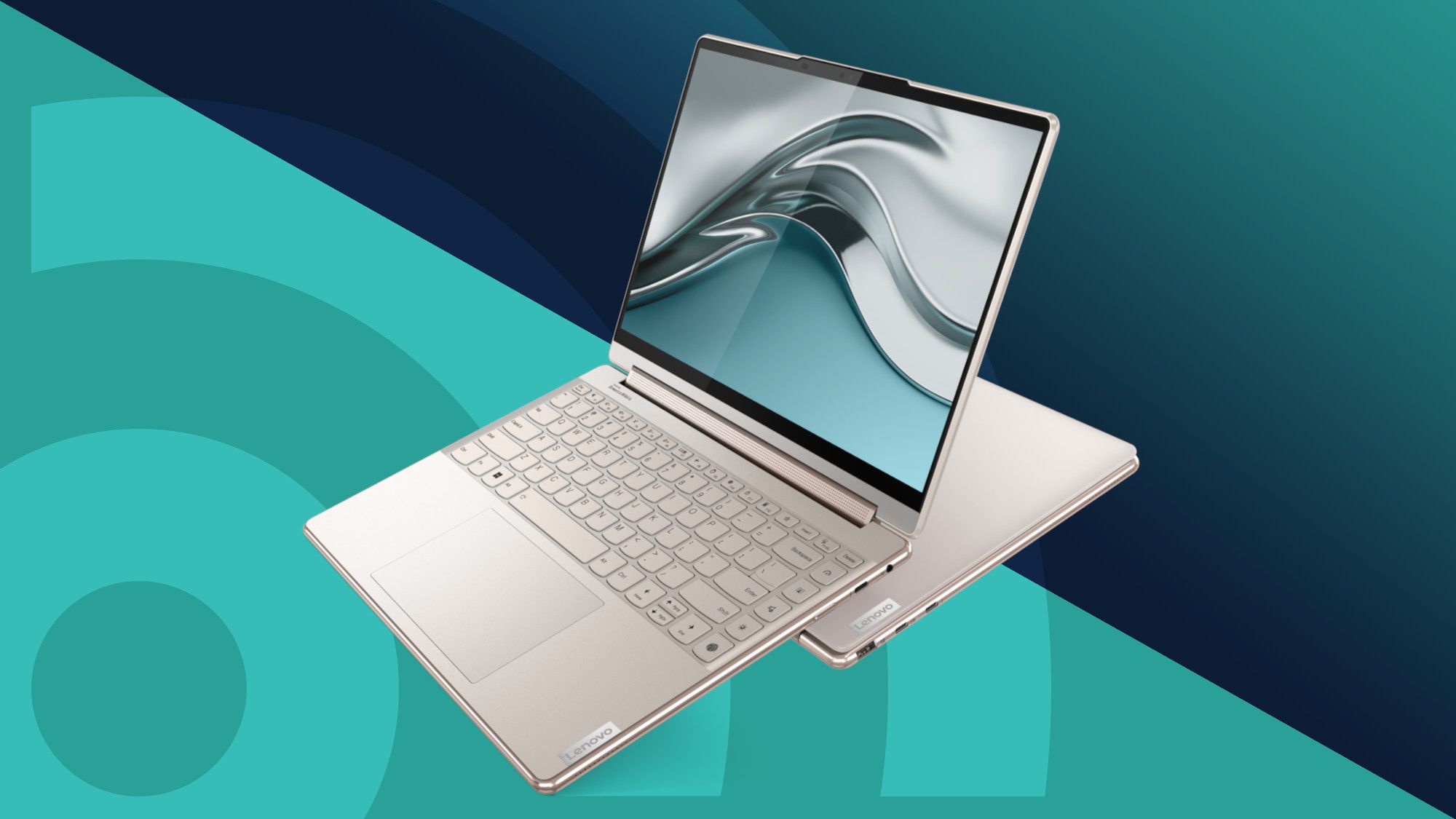
A notebook laptop is a useful computer for people who want power and portability in one device. Unlike a large desktop computer, you can easily carry a notebook from one place to another. Students can take it to school or college. Workers can use it at home or in the office. Travelers can also carry it in a backpack. Because of this, notebook computers have become popular with many different types of users.
Today, laptops come in many shapes, sizes, and prices. Some models are made for simple tasks such as web browsing, watching videos, and writing documents. Others are built for gaming, programming, photo editing, and video production. Therefore, choosing the right model can sometimes feel confusing. You need to understand the important features before spending your money.
A notebook laptop can also save space. You do not need a separate monitor, keyboard, and computer tower. Everything comes together in one compact machine. Modern notebooks can also offer fast storage, strong processors, bright screens, and long battery life. However, the best choice always depends on how you plan to use your computer.
What Is a Notebook Laptop?
A notebook laptop is a portable personal computer that combines the main parts of a computer into one device. It normally includes a screen, keyboard, touchpad, processor, memory, storage, battery, speakers, and other hardware. You can open the screen when you want to work and close it when you are finished. This simple design makes it easy to carry and store.
The word “notebook” became popular because these computers were designed to be small and portable. They were easier to carry than traditional computers. Today, the words laptop and notebook are often used in similar ways. Some brands use “notebook” to describe thin and lightweight computers, while others simply use the word laptop.
A modern notebook laptop can do much more than old portable computers. You can use it to attend online classes, join video meetings, write reports, browse social media, watch movies, edit pictures, and play games. As technology has improved, notebooks have become faster, thinner, and more efficient.
Why Are Notebook Laptops So Popular?
One of the biggest reasons people choose a notebook laptop is portability. You can move it from your bedroom to your living room without much effort. You can also take it to work, school, a library, or a café. A desktop computer cannot offer the same level of freedom because it normally stays in one place.
Another reason is convenience. A notebook already has most of the equipment you need. You do not need to buy a separate monitor or keyboard for basic use. Simply open the lid, press the power button, and start working. This makes a notebook especially useful for students and people who work in different locations.
Also, modern notebooks can offer impressive performance. Many models can run several programs at once without major problems. You can browse the internet while listening to music and working on a document. More powerful models can also handle demanding programs. Therefore, there is now a notebook for almost every type of user.
Main Features of a Notebook Laptop
Before buying a notebook laptop, it is important to understand its main hardware features. The processor, RAM, storage, display, battery, and graphics system all affect the overall experience. You do not always need the most expensive parts. Instead, you should choose features that match your daily activities and budget.
For example, someone who only checks email and writes documents does not need the same hardware as a professional video editor. A student may care more about weight and battery life. A gamer may care more about graphics performance. Therefore, your personal needs should guide your buying decision.
You should also think about future use. A computer may work well today but become slow if your needs grow. Choosing a little extra memory or storage can give your notebook laptop a longer useful life. This can save money because you may not need to replace the computer as quickly.
Processor
The processor is one of the most important parts of a notebook laptop. You can think of it as the brain of the computer. It handles instructions and helps programs perform different tasks. A faster processor can make demanding activities easier, especially when you are running several programs at the same time.
For simple activities, you do not need the most powerful processor available. Web browsing, document writing, email, video streaming, and school work can usually run well on a modern entry-level or mid-range processor. Spending extra money on a very powerful processor may not give you much benefit if you only perform basic tasks.
However, people who edit videos, create graphics, program software, or use demanding professional applications may need stronger processing power. In these situations, a better processor can reduce waiting time and improve the overall experience. Therefore, always choose a processor based on the programs you plan to use.
RAM
RAM is another important part of a notebook laptop. It helps your computer manage programs and tasks that are currently running. When you open a browser, a document, a video call, and other applications at the same time, RAM helps keep those activities running smoothly.
For many basic users, 8GB of RAM can be a practical starting point. It can work well for browsing, school tasks, office documents, streaming, and normal everyday use. If you often multitask or use heavier programs, 16GB can provide more room and may offer a smoother experience.
More RAM can also help your computer remain useful for a longer time. Software requirements can increase as technology changes. Therefore, if your budget allows it, choosing enough RAM from the beginning can be a smart decision. However, there is no need to pay for huge amounts of RAM if your daily tasks are simple.
Storage
Storage is where your notebook laptop keeps files, applications, photos, videos, and other information. Many modern computers use SSD storage instead of older hard disk drives. SSDs can make the computer start faster and can help programs open more quickly.
For everyday use, 256GB may be enough for some people. However, 512GB gives you more breathing room. If you store many videos, large games, photos, or professional files, you may want even more storage. Cloud storage and external drives can also help when you need additional space.
Before buying a computer, think about how many files you normally keep. A computer with very little free space can become frustrating. Therefore, it is better to choose a storage size that gives you room to grow. This small decision can make your computer much easier to use over time.
Notebook Laptop Screen Size
Screen size can change how comfortable your notebook laptop feels. Smaller screens usually make computers lighter and easier to carry. Larger screens give you more room for documents, spreadsheets, videos, and creative work. Therefore, there is no single screen size that works perfectly for everyone.
If you travel frequently, a smaller notebook may be more convenient. It can fit more easily inside a backpack and may feel lighter during long trips. Students may also appreciate a smaller device because they need to carry books and other items along with their computer.
On the other hand, people who spend many hours working at a desk may prefer a larger display. A larger screen can make text and images easier to see. It can also help when you have several windows open. Think about where you will use your computer most before choosing the screen size.
Screen Resolution and Quality
Screen resolution tells you how much visual detail the display can show. A higher resolution can make text, photos, and videos look sharper. However, resolution is not the only thing that matters. Brightness, color quality, viewing angles, and screen technology can also affect the experience.
For everyday use, a Full HD display can be a good choice. It provides clear images for documents, websites, movies, and other normal tasks. Some premium computers offer higher resolutions, which can look excellent, especially for creative work and high-quality media.
However, you should not choose a screen based only on the highest number. A very high-resolution screen may use more power in some situations. Therefore, consider the full package. A balanced display with good brightness, sharp images, and comfortable viewing can be better than a screen with a very high resolution alone.
Battery Life
Battery life is very important in a notebook laptop because portability is one of its biggest advantages. If the battery runs out quickly, you may need to stay close to a power outlet. This can reduce the freedom that a portable computer is supposed to provide.
Students may need their computers during long classes. Travelers may spend hours away from a wall socket. Office workers may move between meetings. Therefore, good battery life can make everyday computer use much easier.
Remember that advertised battery life may differ from real-world results. Screen brightness, applications, internet use, video playback, and background processes can all affect battery performance. Therefore, consider battery reviews and your normal workload rather than trusting one number alone.
Keyboard and Touchpad
A comfortable keyboard can make a big difference when using a notebook laptop every day. If you write emails, reports, assignments, or long documents, you may spend many hours typing. A keyboard with comfortable keys and good spacing can make that work much easier.
You should also check the keyboard layout. Some people prefer a full-size keyboard. Others want a compact design that keeps the computer smaller. A backlit keyboard can also be useful if you often work in darker rooms.
The touchpad is important as well. It should respond quickly and accurately to movement, tapping, scrolling, and gestures. A poor touchpad can become annoying when you use it every day. Therefore, keyboard and touchpad quality should not be ignored when comparing computers.
Ports and Connections
A notebook laptop may have several ports for connecting accessories. Common options include USB, USB-C, HDMI, audio ports, and memory card readers. The exact selection depends on the model.
Think about the devices you already own. You may need to connect a mouse, printer, external monitor, flash drive, phone, camera, or external storage device. If your notebook does not have the right ports, you may need an adapter or docking station.
Thin notebooks sometimes include fewer physical ports. This helps manufacturers make the computer slimmer and lighter. However, fewer ports can sometimes be inconvenient. Therefore, check the connection options before buying, especially if you regularly use external accessories.
Notebook Laptop for Students
A notebook laptop can be an excellent tool for students. It can help with assignments, online classes, research, presentations, notes, and communication. Students can also use it to watch educational videos and access learning platforms.
For students, portability is especially important. A heavy computer can become uncomfortable when carried between classes. A lightweight model can fit more easily into a backpack. Good battery life is also useful because students may not always have access to a power outlet.
Students should also avoid paying for features they do not need. A reliable processor, enough RAM, SSD storage, a comfortable keyboard, and a good screen may be more useful than expensive premium features. The goal should be a balanced computer that handles school tasks without wasting money.
Notebook Laptop for Work
A notebook laptop can also be a strong choice for office and remote work. Employees can use it for emails, spreadsheets, presentations, video meetings, documents, and web-based tools. A portable computer can also make it easier to work from different locations.
Business users should consider keyboard comfort and webcam quality. Video meetings are now common in many workplaces. A clear camera and good microphone can help you communicate with coworkers and clients.
Security should also matter. Use strong passwords and keep the computer updated. If you work with important company files, follow your organization’s security rules. A reliable and secure computer can make professional work much easier.
Notebook Laptop for Gaming
Gaming requires more hardware power than basic office work. Not every notebook laptop is designed for modern games. Many basic notebooks use integrated graphics that are suitable for simple games but may struggle with demanding titles.
Gaming notebooks usually include stronger graphics hardware. They may also have faster processors, more RAM, better cooling systems, and high-refresh-rate screens. These features can make games look smoother and respond more quickly.
However, gaming notebooks often have some disadvantages. They can be heavier and may use more battery power. They can also cost more than basic notebooks. Therefore, gamers should balance performance, price, weight, and battery life before choosing a model.
Notebook Laptop for Creative Work
Creative users often need more powerful computers. Photo editing, video editing, animation, music production, and graphic design can require strong hardware. These users should pay close attention to the processor, RAM, storage, graphics performance, and screen.
A high-quality display can be especially useful for designers and photographers. Good color accuracy helps users see their work more clearly. A larger screen can also provide more space for editing tools and timelines.
Storage is another important factor. Creative projects can create very large files. Therefore, a notebook laptop for creative work should ideally have fast and spacious storage. External drives can also provide extra space for large projects and backups.
Notebook Laptop for Travel
Travel is one area where a notebook laptop can be especially useful. You can carry it in a backpack and use it at an airport, hotel, café, or meeting. This makes it easier to stay connected while away from home.
Weight should be one of your main considerations. A lightweight computer can be much easier to carry during long trips. A smaller charger can also reduce the amount of space needed in your bag.
Battery life matters just as much. You may spend hours on a plane or train without an easy way to charge the computer. Therefore, choose a notebook that offers a good balance between weight, battery life, performance, and durability.
How to Choose the Right Notebook Laptop
Choosing the right notebook laptop starts with understanding your needs. First, ask yourself what you will use the computer for most often. Your answer will help you decide which features deserve the most attention.
Next, create a realistic budget. Do not assume that the most expensive computer is automatically the best one for you. A cheaper model may be perfect for basic work, while a more powerful model may be necessary for professional tasks.
Finally, compare several models before buying. Look at the processor, RAM, storage, screen, battery, weight, keyboard, ports, and warranty. By comparing these features together, you can make a smarter decision and avoid paying for features you will never use.
Simple Buying Checklist
Before buying a notebook laptop, check these important points:
- Processor performance
- RAM capacity
- SSD storage
- Screen size
- Screen resolution
- Display quality
- Battery life
- Computer weight
- Keyboard comfort
- Touchpad quality
- Webcam quality
- Available ports
- Wireless connectivity
- Operating system
- Build quality
- Warranty
- Price
Notebook Laptop Price
The price of a notebook laptop can vary widely. Basic models are designed for simple tasks and usually cost less. Mid-range models offer a better balance between price and performance. Premium models often include better screens, stronger hardware, lighter designs, and higher-quality materials.
Your budget should match your needs. If you only browse websites and write documents, you may not need an expensive computer. However, if you edit videos, play demanding games, or use professional software, spending more may make sense.
Remember that a higher price does not always mean better value. Look at the complete feature list instead. A balanced computer that meets your needs can be a better purchase than an expensive model with features you never use.
How to Make a Notebook Laptop Last Longer
Taking care of your notebook laptop can help it remain useful for many years. Start by keeping it away from liquids, extreme heat, and dusty areas. Avoid placing it on soft surfaces that can block the cooling vents.
Clean the screen and keyboard carefully. Use suitable cleaning materials and avoid putting too much pressure on the display. Also, keep the operating system and important software updated. Updates can improve security and fix problems.
Finally, use a protective laptop bag when carrying the computer outside. Do not throw the laptop into a bag without protection. Small accidents can damage the screen, ports, or body. A little care can prevent expensive repairs later.
Common Mistakes When Buying a Notebook Laptop
One common mistake is choosing a computer only because it has a low price. Saving money is useful, but an extremely cheap model may not provide the performance or storage you need. Always compare the specifications with your actual tasks.
Another mistake is ignoring comfort. Some people focus heavily on processor speed but forget about the keyboard, screen, weight, and touchpad. Remember that you may use these parts every day.
People also sometimes forget about future needs. Your computer should ideally remain useful as your software and workload grow. Choosing enough RAM and storage can help you avoid upgrading too soon.
Notebook Laptop vs Desktop Computer
A desktop computer can offer excellent performance and upgrade options. It is often easier to replace individual components. Desktops can also provide large screens and powerful hardware for demanding work.
However, desktops are not very portable. You need a desk, monitor, keyboard, mouse, and power connection. Moving everything can be difficult.
A notebook laptop combines many of these parts into one portable device. This makes it a better choice for people who need flexibility. You can work from different rooms or locations without moving a complete computer setup.
Notebook Laptop vs Tablet
Tablets are usually lighter and easier to hold. They can be great for reading, watching videos, browsing websites, and using simple applications. They are also convenient for casual entertainment.
However, a notebook laptop normally provides a better typing experience. It can also run many traditional desktop programs. This makes it more suitable for writing assignments, office work, programming, and other tasks that require a full computer.
The best option depends on your needs. If you mainly consume content, a tablet may be enough. If you need to create documents, manage files, or use desktop applications, a notebook may be the better choice.
Tips for Better Notebook Laptop Performance
You can improve your computer experience by keeping the system organized. Start by removing programs you no longer use. Unnecessary applications can take storage space and sometimes run in the background.
Next, keep your files organized. Delete old files when you no longer need them. You can also move large videos and photos to external storage or cloud services.
Also, avoid opening too many demanding applications at the same time. Closing programs you do not need can free system resources. Regular restarts can also help clear temporary problems and keep the computer running smoothly.
Security Tips
Security should always be a priority when using a notebook laptop. Start with a strong password. If your computer supports fingerprint or face recognition, you can also use those features for added convenience.
Keep your operating system and applications updated. Updates often include important security improvements. Also, avoid downloading unknown files or clicking suspicious links.
Backups are equally important. Important school documents, work files, photos, and other valuable data should have another copy. If your computer is damaged or lost, a backup can help you recover your files.
Best Notebook Laptop for Everyday Use
For everyday users, balance is usually more important than extreme performance. A good notebook laptop should provide enough power for web browsing, documents, streaming, video calls, and normal multitasking.
A modern processor, 8GB or more RAM, and SSD storage can provide a solid starting point for many users. A comfortable keyboard and clear screen can also make daily work more enjoyable.
Most importantly, choose a computer that fits your lifestyle. Think about where you use it, how often you travel, what programs you run, and how much storage you need. These simple questions can help you find the right notebook without spending too much.
FAQs
1. What is a notebook laptop?
A notebook laptop is a portable computer that combines a screen, keyboard, battery, processor, storage, and other hardware into one compact device. It is designed for people who want to work, study, browse, and enjoy entertainment while staying mobile.
2. Is a notebook laptop good for students?
Yes. A notebook laptop can be very useful for students. It can handle assignments, research, online classes, presentations, documents, and educational videos. Students should focus on good battery life, comfortable typing, enough storage, and a lightweight design.
3. How much RAM does a notebook laptop need?
For basic everyday tasks, 8GB can be a practical amount. People who use many programs at once or run demanding software may prefer 16GB or more. Your choice should depend on your workload and budget.
4. Is a notebook laptop good for gaming?
Some notebook models are good for gaming, but basic models may not have enough graphics power for demanding games. Gaming-focused notebooks usually include stronger graphics hardware, better cooling, faster processors, and high-refresh-rate displays.
5. What should I check before buying a notebook laptop?
Check the processor, RAM, storage, screen, battery life, weight, keyboard, touchpad, ports, webcam, operating system, warranty, and price. Most importantly, compare these features with the tasks you plan to perform every day.
Conclusion
A notebook laptop can be a smart choice for students, workers, travelers, creators, and everyday users. Its biggest advantage is portability. You can carry it almost anywhere and still have access to a full computer experience.
The right notebook does not have to be the most expensive one. Instead, it should have the features that match your needs. Think about performance, RAM, storage, screen quality, battery life, weight, keyboard comfort, and available ports before making your choice.
Whether you need a computer for school, work, entertainment, travel, or creative projects, there is likely a notebook laptop that fits your needs. Take your time, compare your options, and choose a model that gives you the right balance of performance, comfort, portability, and value.
